The Power of Fitts’ Law in Product Design
Size and distance decide how fast a target can be hit.

Definition of Fitts’ Law
At its core, Fitts’ Law states that the time required to move to a target is a function of its distance and size. The larger the target and the closer it is, the quicker and more accurate the user’s interaction. Fitts’ Law provides a mathematical formula,
T = a + b log2(2D/ W)
where
T: time
D: distance
W: target width
a: the intercept
b: the slope.
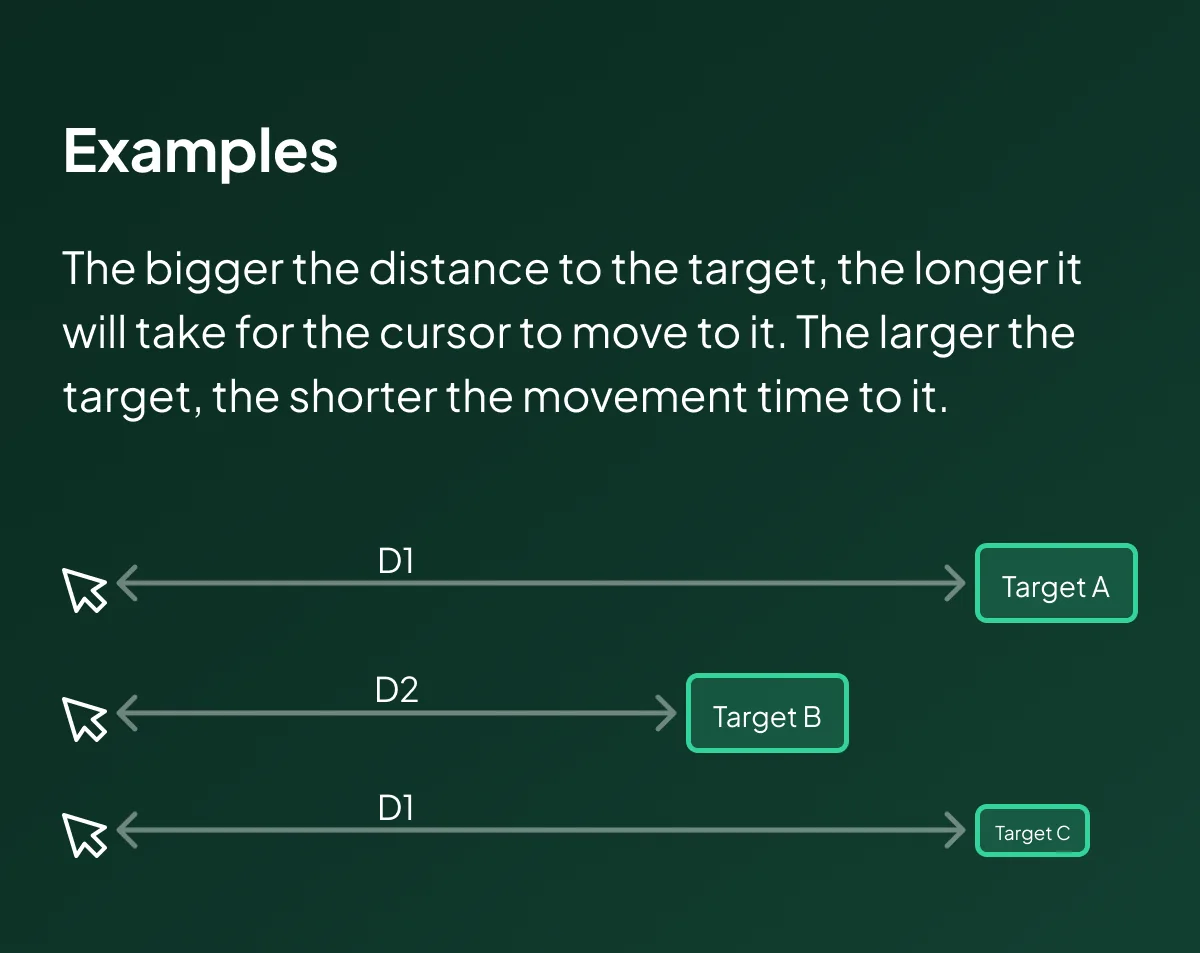
Fitts’ Formula Examples
Fitts’ Law says that the time to reach Target A is shorter than the time to reach any of the other targets. Although Targets A and B have the same size, the distance from the cursor to A (D1) is shorter than the distance to B (D2), so movement to A will be faster. Target C is placed at the same distance (D1) from the cursor as Target A, but it’s smaller, so it will take longer to move the cursor to it than to A.
Formula and Additional Thoughts
The formula T = a + b log2(2D/ W) breaks down the movement time into components like distance and target width. Regression coefficients ‘a’ and ‘b’ account for the slope of the object, making the law adaptable to various design contexts. While the law focuses on two-dimensional mediums like screens, its principles extend to consider user experience factors like height and depth.
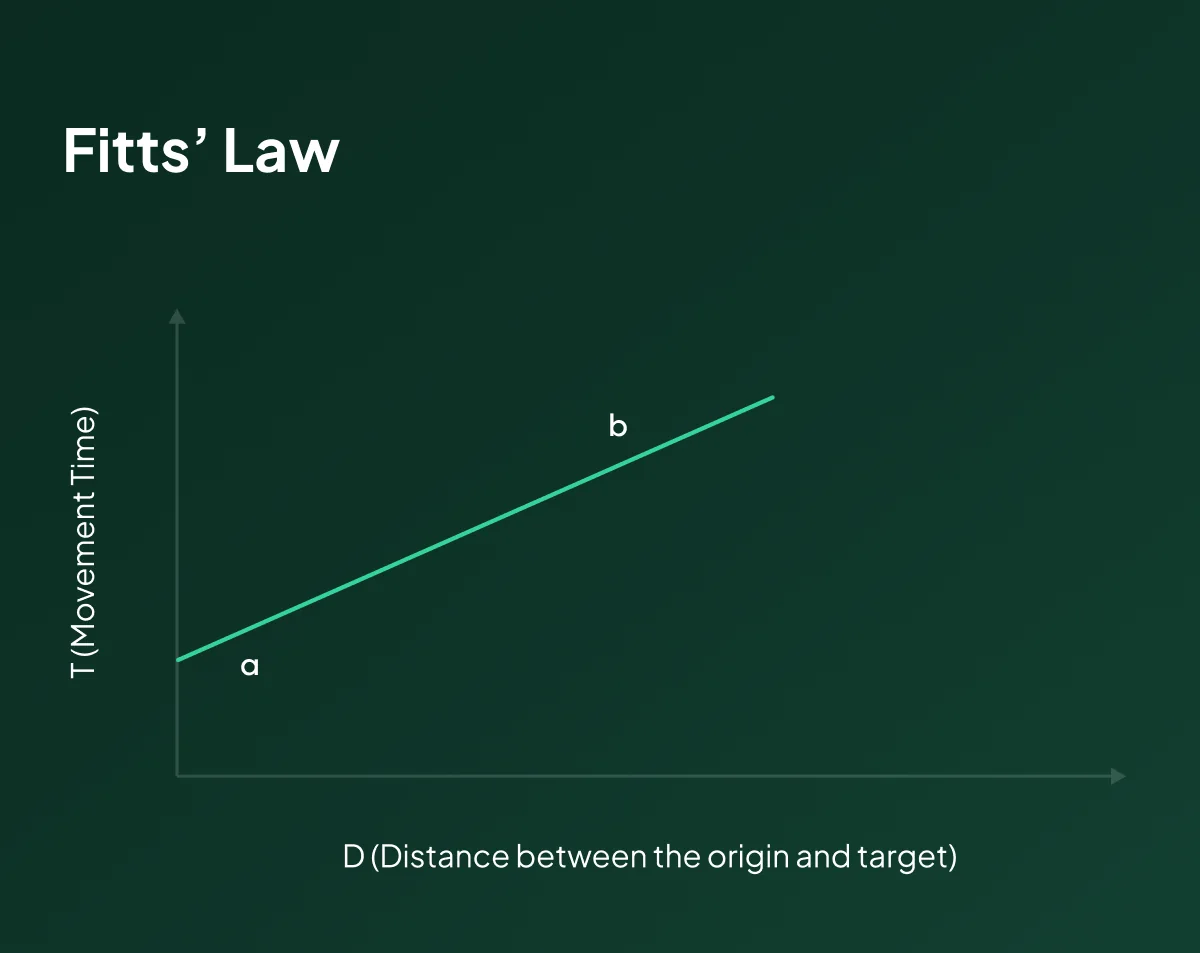
As the distance increases, movement takes longer, and as the size decreases, selection again takes longer.
Considering Fitts’ Law involves finding a balance — making elements large enough for easy interaction without sacrificing the overall design aesthetics. The “prime pixel” concept, although challenging to implement dynamically on websites, highlights the importance of adapting designs based on user actions.
Why is it Important in Product Design?
Fitts’ Law is paramount in product design because it directly impacts user interaction efficiency. By understanding the relationship between target size, distance, and interaction time, designers can create interfaces that minimize user effort and enhance accuracy. This is particularly key in the era of mobile devices and touch interfaces, where precise interactions are vital.
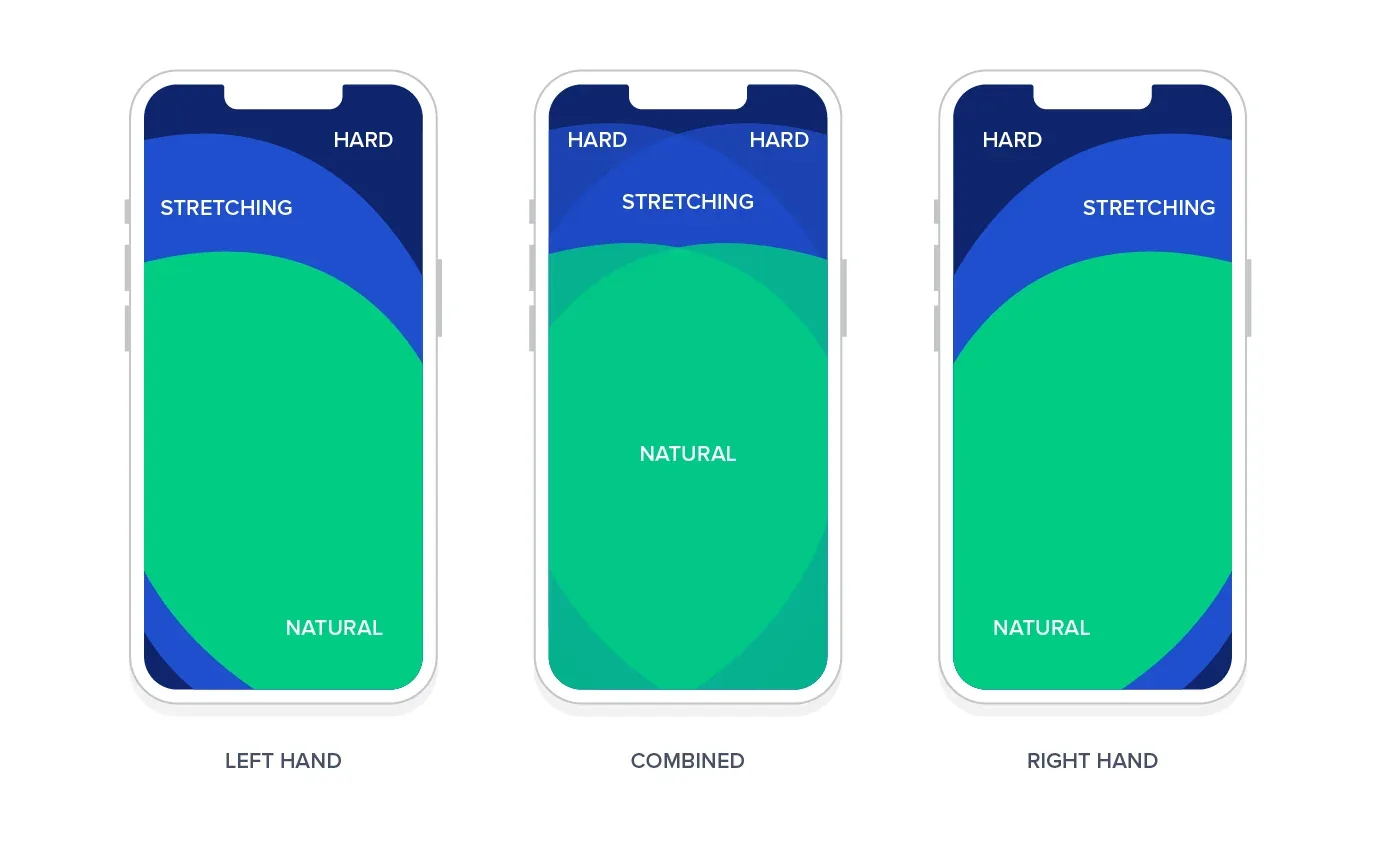
In using Fitts’ Law for mobile UI, designers must consider how far a human thumb can typically reach. Source: Toptal
Incorporating Fitts’ Law in product design leads to more intuitive and user-friendly interfaces. Whether designing a mobile app, website, or software, adhering to this law ensures that interactive elements are strategically placed, appropriately sized, and easily accessible, thereby improving overall user satisfaction.
Takeaways
- Size Matters: Larger touch targets reduce interaction time and errors. Design elements, especially buttons, should be sizable for effortless engagement.
- Spacing for Clarity: Ample spacing between touch targets prevents accidental taps and enhances user accuracy. A well-organized layout contributes to a more user-friendly experience.
- Strategic Placement: Positioning interactive elements in easily reachable interface areas aligns with Fitts’ Law, streamlining user actions and reducing movement time.
- Consider Prime Pixels: Identifying the “prime pixel” or the user’s initial interaction point allows for tailored designs that adapt to user behavior and improve overall usability.
- Constant Iteration: As user actions evolve, regularly reassessing and adjusting the placement and size of interactive elements ensures continued adherence to Fitts’ Law and an optimized user experience.
Examples
Real-world examples abound, from mobile apps like Instagram with its easily accessible “Like” button to e-commerce giants like Amazon strategically placing the “Add to Cart” button. Web browsers, gaming consoles, and productivity software all use Fitts’ Law to enhance user interactions.
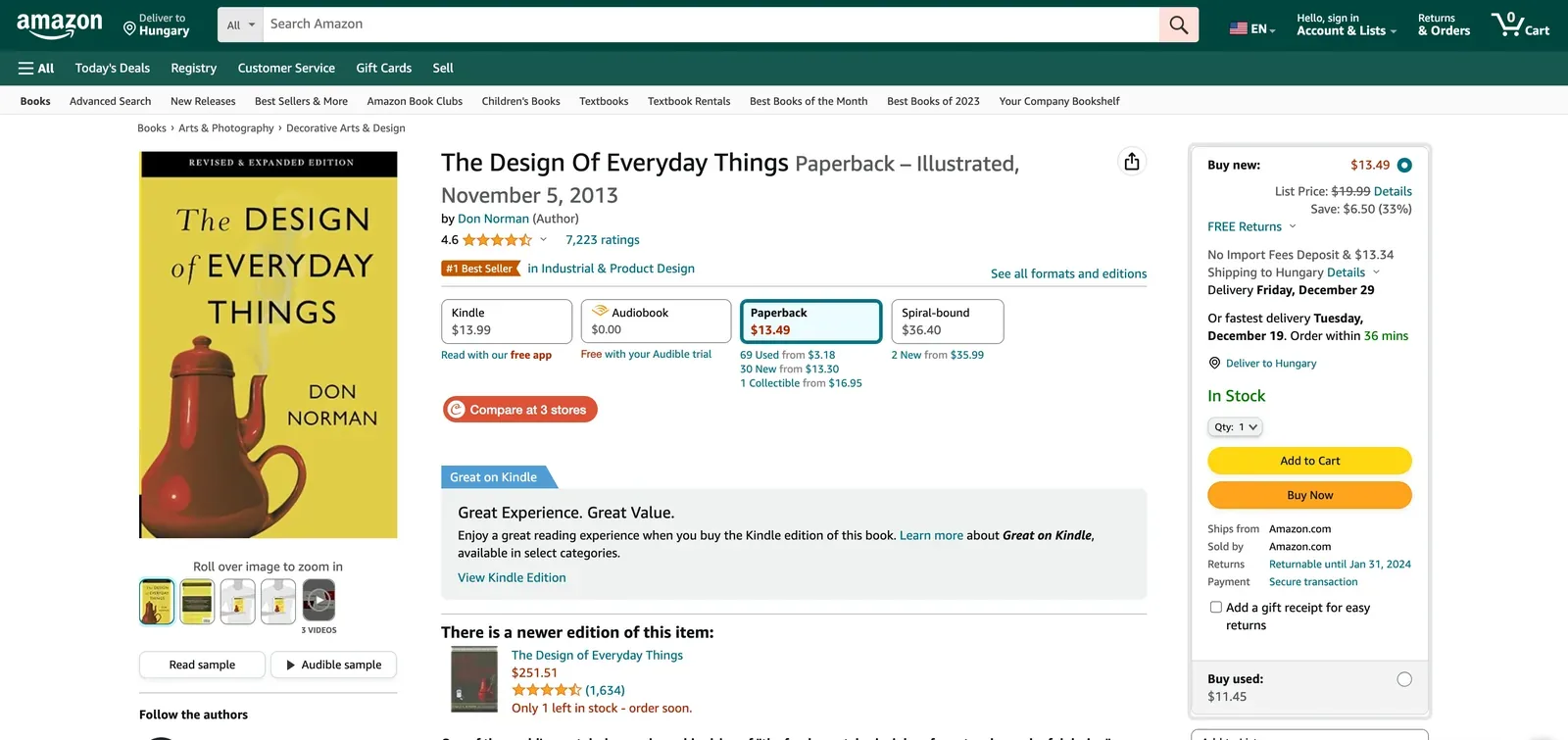
Add to Cart button on Amazon. Source: Amazon
In MacOS, the application menu is placed at the top edge of the screen, which acts as an infinite edge. This placement optimizes movement time to this frequently accessed area, as the options in the menu become infinite targets, and users will not need to slow down to hit them accurately.

MacOS and Fitts’ Law
Conclusion
Fitts’ Law is a cornerstone in the edifice of UX/UI design, providing a framework that transcends platforms and industries. Designers embracing the principles of Fitts’ Law embark on a path towards crafting interfaces that cleanly align with user expectations, in the end delivering superior digital experiences.
For tailored assistance in integrating Fitts’ Law into your business strategies, connect with us at Olively. We’re committed to improving your user experience and refining your digital initiatives. Stay informed and engaged by following our updates here and on my LinkedIn page for continuous insights.
If you're weighing a decision like this on a live product, here's how I work with teams.
Part of the UX laws worth knowing — seventeen principles grouped by the decision each one helps you make.
Common questions
What is Fitts' Law?
The time needed to move to a target is a function of its distance and its size. The larger and closer a target, the faster it can be reached. The formula is T = a + b log₂(2D/W).
How does Fitts' Law affect button design?
Larger touch targets reduce both interaction time and error rate, which is why primary buttons are sized generously and why the edges and corners of a screen are valuable — a pointer cannot overshoot them.
Where does Fitts' Law matter most?
On anything used repeatedly or under time pressure, and on mobile, where the target is a fingertip rather than a cursor. Frequently used controls should be both large and near where the hand already is.